¶ How to Access the Area to Modify GPS Coordinates
In the Overview, click on the product’s edit box.
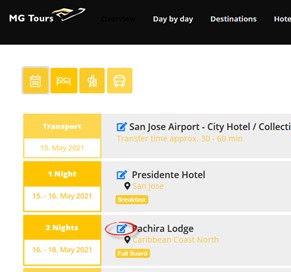
A new page will open. There, click on the settings wheel. Since it is a package or tour, go to Product/GPS Coordinates.
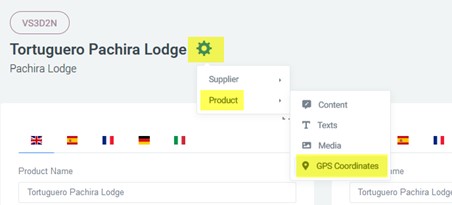
Once on the map, you can make the necessary modifications.
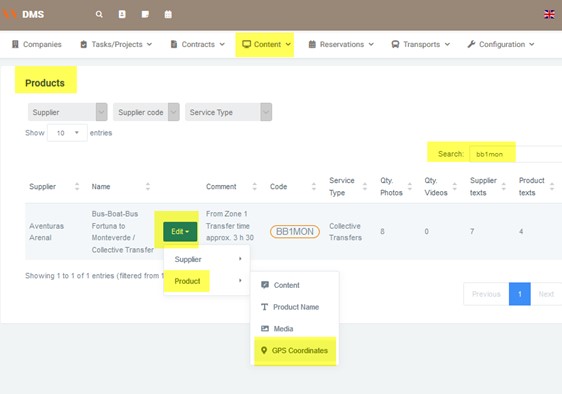
Another way to access map editing is to go to Content/Products and enter the code or supplier of the product you’re looking for.
¶ Packages Operated by the Same Hotel That Cannot Be Reached by Land
In these cases, several modifications must be made.
Example: https://ara.latinconnect.com/content/products/gps.php?prod=12879
Supplier: PACHIR
Code: VS3D2N
¶ The Hotel’s Coordinate
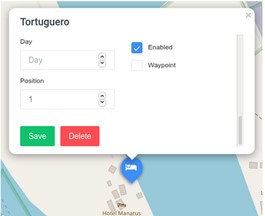
The hotel operates every day, so:
- The Day field must remain blank so that this coordinate appears every day in the package.
- Position field set to 1.
- Enabled checkbox active.
- Waypoint checkbox disabled, so the system knows not to draw a route line up to this point.
¶ Add a Coordinate at the Last Point with Road Access (Arrival Day)
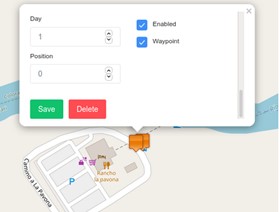
In this example, the pier where the boat to the hotel departs.
- Day field set to 1.
- Position field set to 0.
- Enabled checkbox active.
- Waypoint checkbox active.
¶ Add a Coordinate at the Last Point with Road Access (Departure Day)
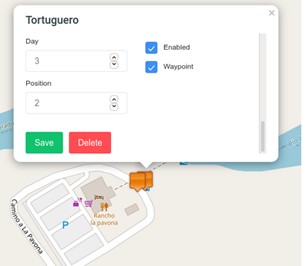
In this example, the pier where the boat to the hotel departs.
- Day field must be the day guests leave the hotel.
- Position field set to 2.
- Enabled checkbox active.
- Waypoint checkbox active.
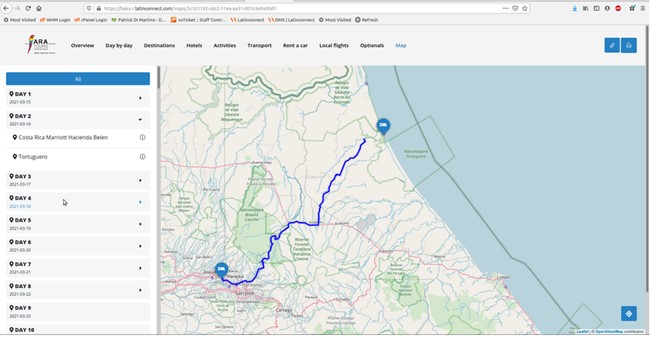
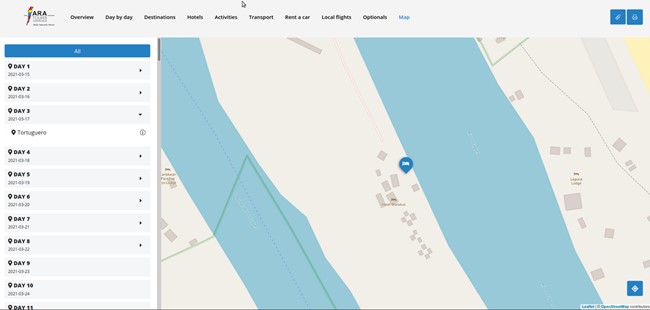
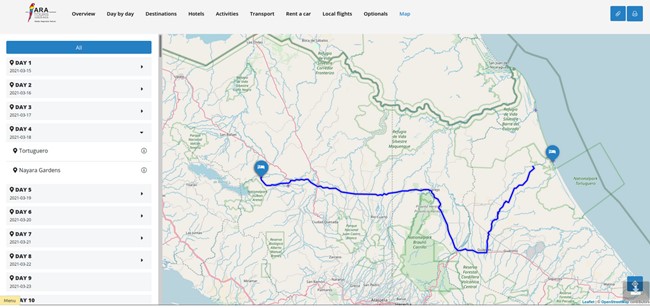
Thus, the Baku map is generated automatically without having to adjust routes manually:
¶ Important
-
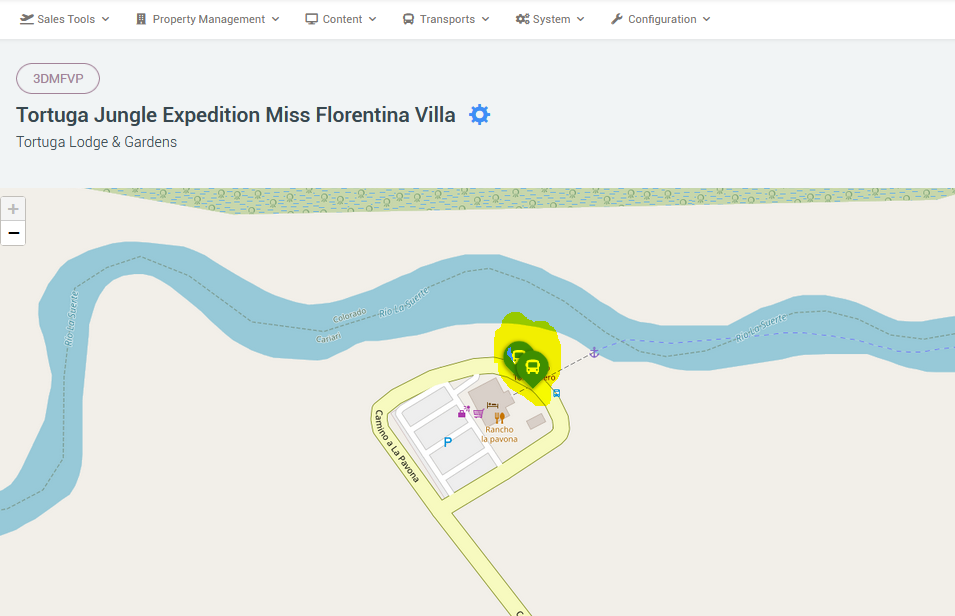
If a point on the map is used on multiple days (e.g., same pier for arrival and departure), don’t use the exact same coordinates for both days, otherwise the system will generate a conflict. Separate them slightly.
-
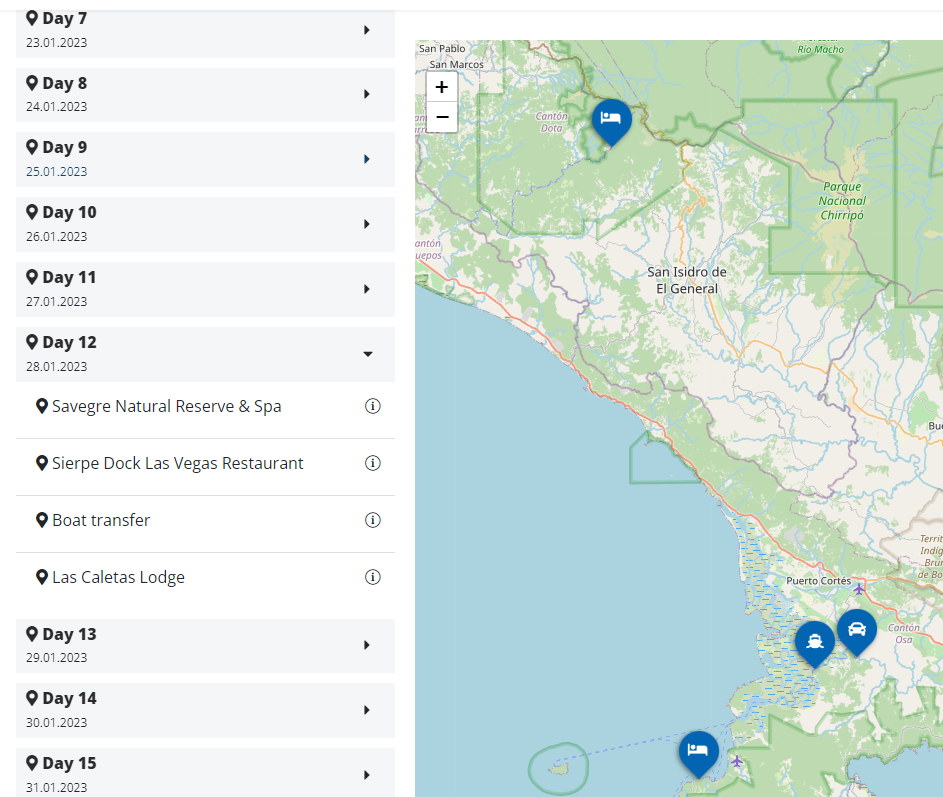
Position fields must follow a logical sequence, and all points must have a position. Otherwise, the route line will not be drawn correctly.
-
The routes in the left column appear in the order of the positions.
-
DMS looks for coordinates first in Products, then in Suppliers.
- If the hotel is only offered as a package, assign coordinates only to the packages in Products.
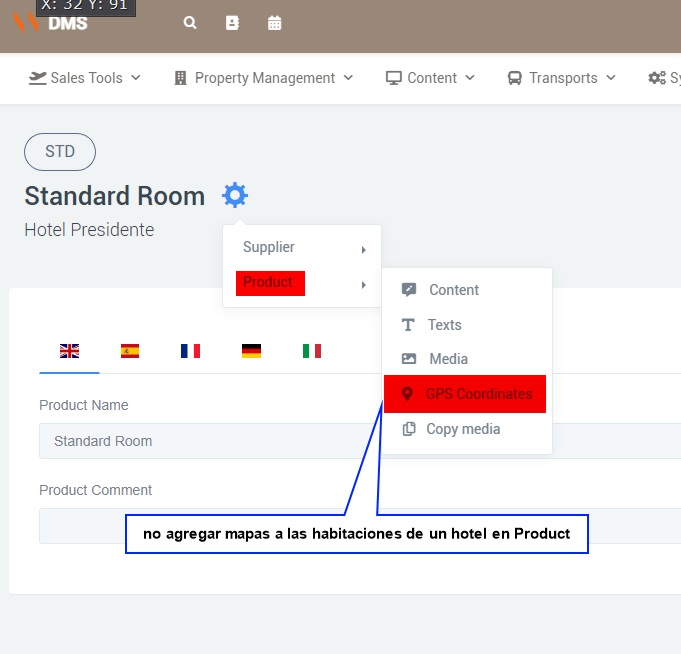
- If the hotel is only offered as a hotel, assign coordinates to the hotel itself, not the rooms.
¶ Tours or Packages with Boat Transfers
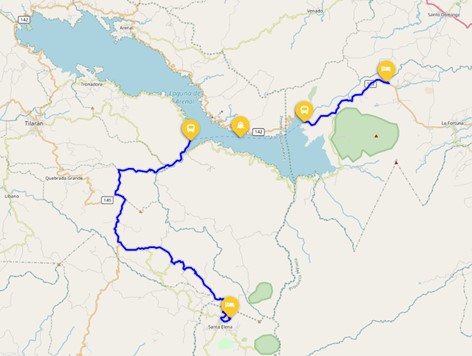
Keep in mind that the route line is only created between two consecutive waypoints.
Example: https://ara.latinconnect.com/content/products/gps.php?prod=3859
Supplier: AVEARE
Code: BB1MON
¶ First Transfer
- Day field set to 1, as this is a one-day tour.
- Position field set to 1, as it’s the first service.
- Enabled checkbox active.
- Waypoint checkbox active.
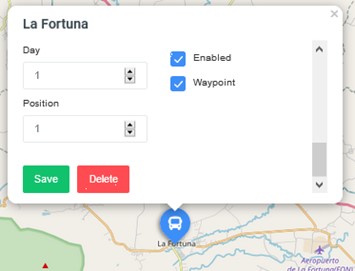
¶ Second Transfer
- Day field set to 1, same one-day tour.
- Position field set to 2, continuing the sequence.
- Enabled checkbox active.
- Waypoint checkbox active.
Since both are consecutive waypoints, a route line is drawn between them.
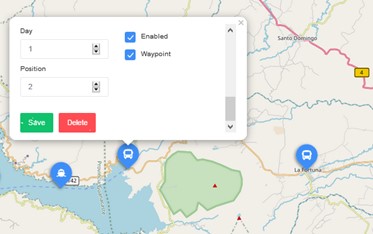
¶ Boat Transfer
- Day field set to 1, same one-day tour.
- Position field set to 3.
- Enabled checkbox active.
- Waypoint checkbox disabled.
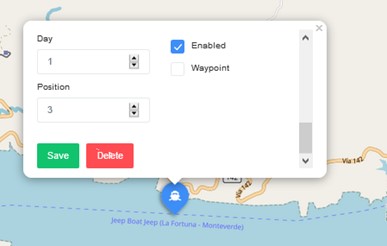
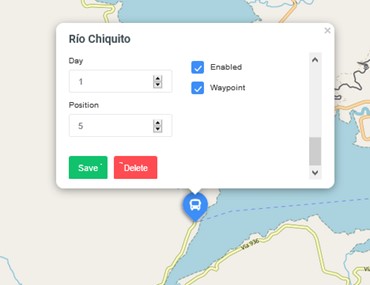
¶ Next Land Transfer
- Day field set to 1.
- Position field set to 5.
- Enabled checkbox active.
- Waypoint checkbox active.
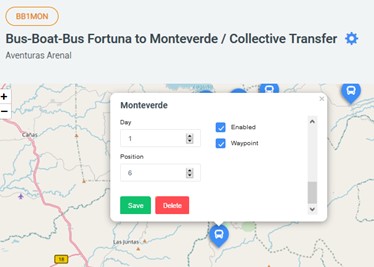
¶ Last Land Transfer
- Day field set to 1.
- Position field set to 6, continuing sequence.
- Enabled checkbox active.
- Waypoint checkbox active.
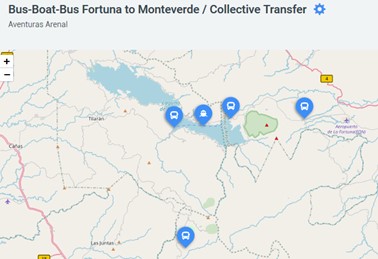
DMS map view:
Baku map view:
¶ Packages Offering Tours on Different Days
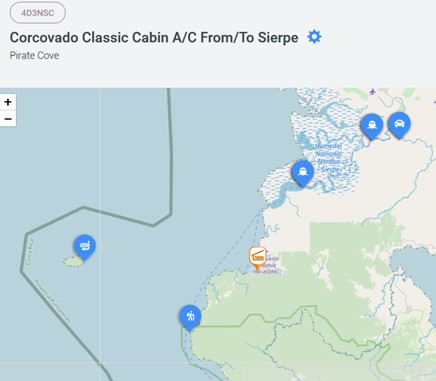
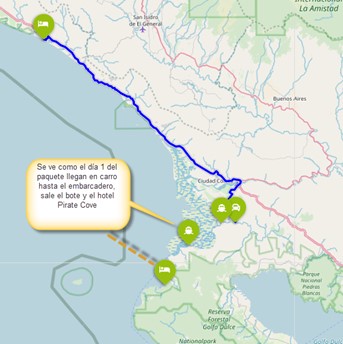
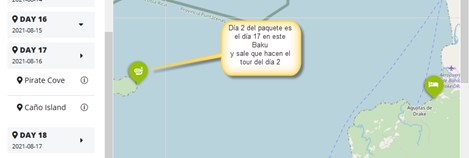
Example: Packages in Latinconnect operated by the same hotel offering multiple tours on different days. To display each tour on the correct day in Baku, configure the package’s map in DMS.
In Latinconnect, all icons appear on the same day. In Baku, they must appear day by day.
Example: https://ara.latinconnect.com/content/products/gps.php?prod=13375
Supplier = PIRCOV
Code = 4D3NSC
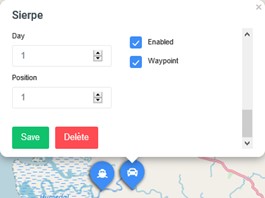
¶ Transfer to the Pier
- Day = 1 (since it takes place on Day 1).
- Position = 1 (first service).
- Enabled = active.
- Waypoint = active.
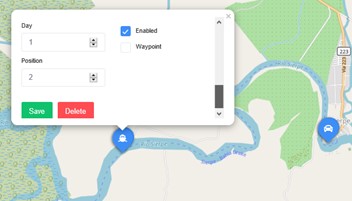
¶ Boat Transfer to the Hotel
- Day = 1.
- Position = 2.
- Enabled = active.
- Waypoint = disabled (no land route).
- Choose the boat icon.
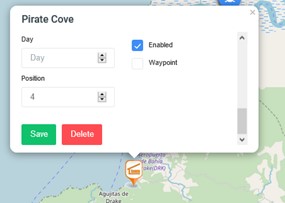
¶ Hotel
- Day = blank (hotel appears every day).
- Position = sequential.
- Enabled = active.
- Waypoint = active if land route reaches the hotel; otherwise disabled (as in this case).
¶ Tours
- Day = the day the tour takes place (e.g., Day 2).
- Position = sequential.
- Enabled = active.
- Waypoint = active if land route exists; otherwise disabled.
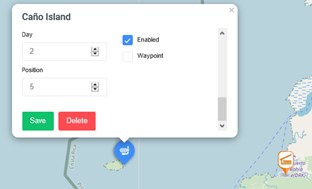
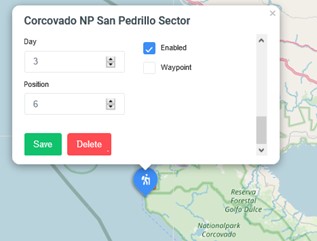
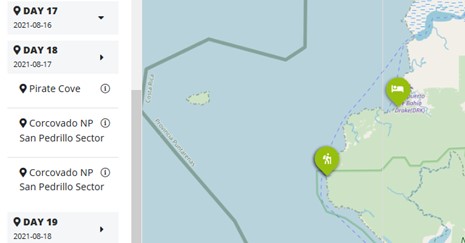
Another tour is on Day 3, so it’s marked as such.
In Baku, this tour will appear only on Day 3.
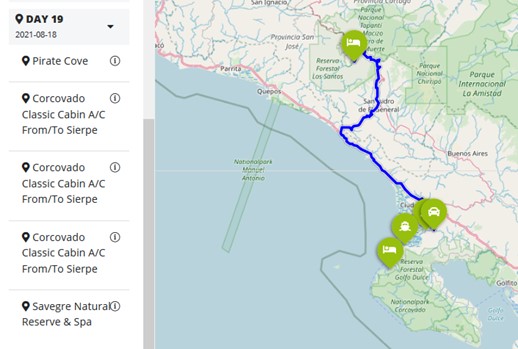
¶ Departure Transfers from Hotel
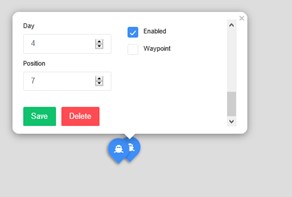
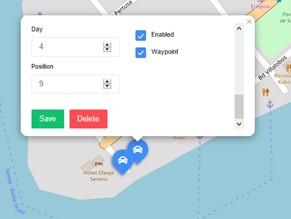
Add a boat transfer on Day 4, continuing the sequence.
DMS view:
Baku view:
Day 1
Day 2
Day 3
Day 4 (departure)
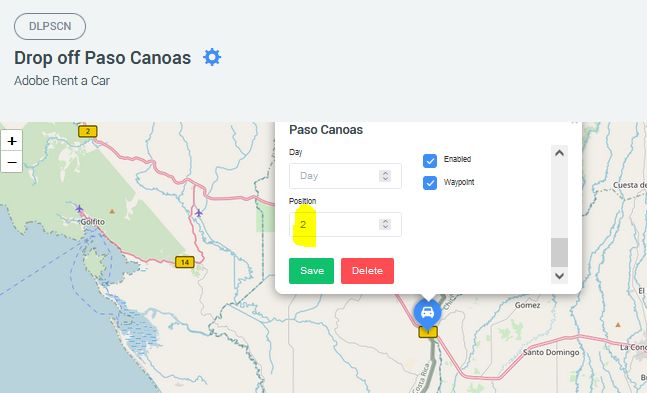
¶ Adding Maps to Rent-a-Car Pick-up and Drop-off Services
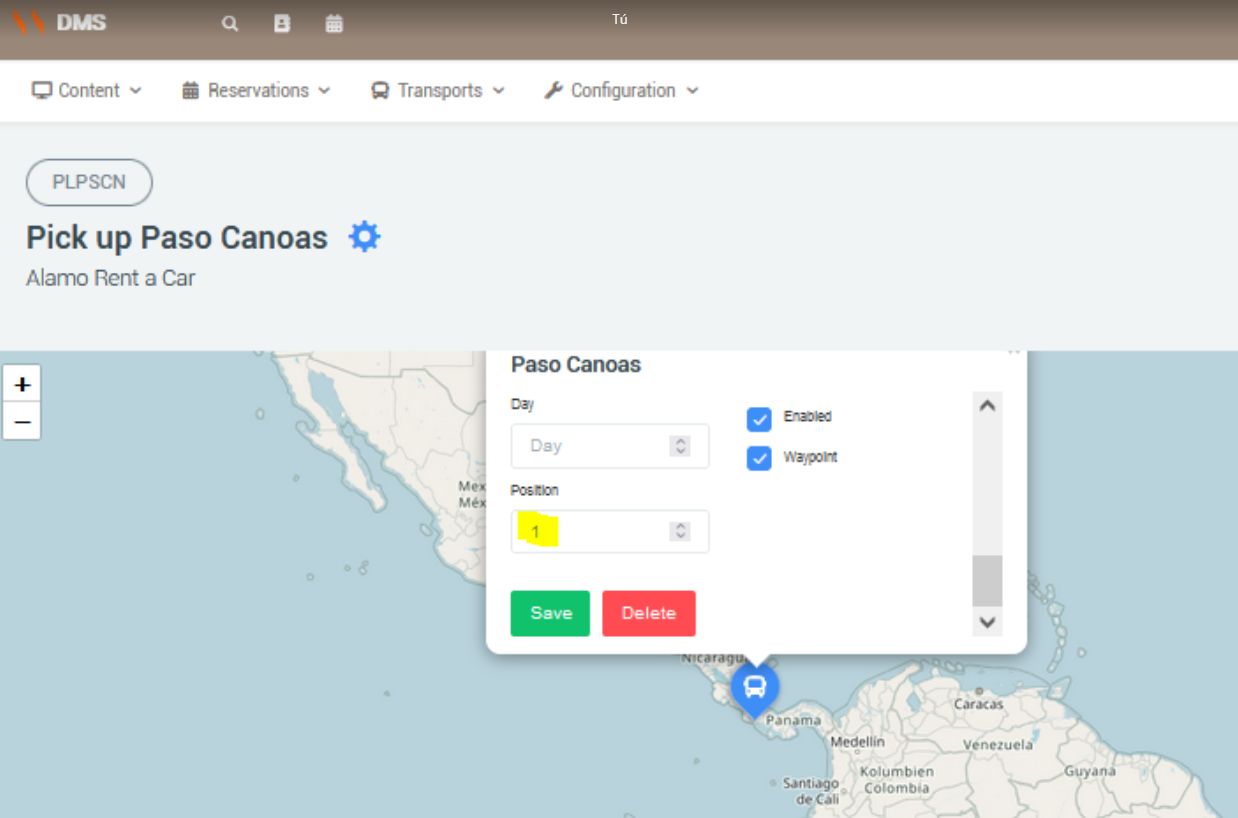
To ensure pick-up and drop-off locations for rental cars display correctly in the Baku map, assign them positions.
-
Pick-up → Position = 1
-
Drop-off → Position = 2