¶ Minimum Requirements
¶ Size
DMS/ Content/ LC Media
Ideal: 300 dpi and a size greater than 1080x720 pixels, ideally more than 1920x1080 pixels
Minimum: 150 dpi and a size of 1080x720 pixels
They must be of very good quality.
¶ Naming Photos
If you are going to upload new photos, please follow this guide on how to name the photos that will be used.
Photo names must always be in English, without accents, and without special characters.
If the photo name consists of several words, they must be separated either by a space or a hyphen. Ideally, start each word with a capital letter.
Hotels
Hotel name plus the hotel area that the photo refers to. If there are several photos of the same area, the photo name can be: Hotel name plus hotel area plus a number.
Example:
Arenal Paraiso Pool.jpg
You may add details that can later help when clients are searching.
Only if the hotel requests a restriction on the use of certain hotel photos, we can assign the hotel’s name to photos of animals provided by the hotel.
Example:
Lapa Rios Scarlet Macaw.jpg
Rooms
Hotel name plus the room name, or if it is a specific area of the room, it can be: Hotel name plus room name plus the specific area name.
Example:
Arenal Paraiso Junior Suite
Arenal Paraiso Junior Suite Bathroom
Packages
Packages are made up of hotels, tours, etc. Therefore, the photos used in a package should not have the specific name of the package itself, but rather the hotel name, or whatever the photo actually represents. That is, if the photo is of a bird, it should have the bird’s English name if possible.
Example:
Scarlet Macaw.jpg
Or if it is a coffee plantation:
Coffee Plantation.jpg
Tours
The provider’s name is placed first if there is a restriction or we feel obligated to do so, followed by the photo description.
Example:
Savegre Quetzal.jpg
Otherwise, just the general name of what it is:
Quetzal.jpg
In these examples, the names are written all together, without spaces or hyphens, however there is no problem if you use spaces or hyphens as you see fit. And for photos of everything that is not hotels, if you consider it necessary, you could add the locality name of where the photo is from if you think it will help you search for it, although you could also indicate this with tags.
¶ Upload Location
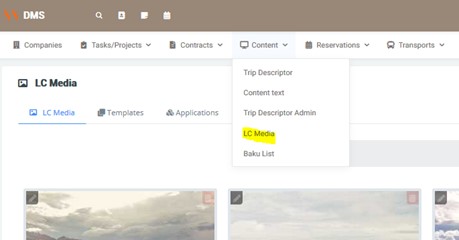
DMS/ Content/ LC Media
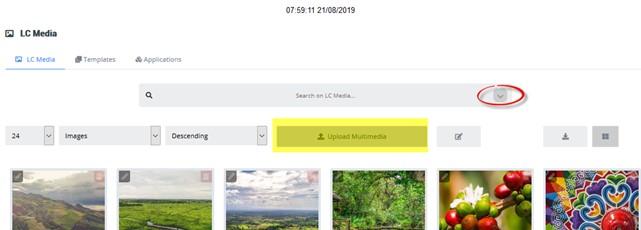
If you are going to upload new photos, expand the arrow and there the Upload Multimedia box will appear.
¶ Configuration
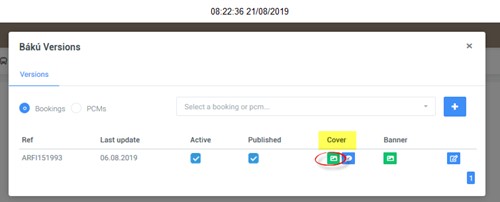
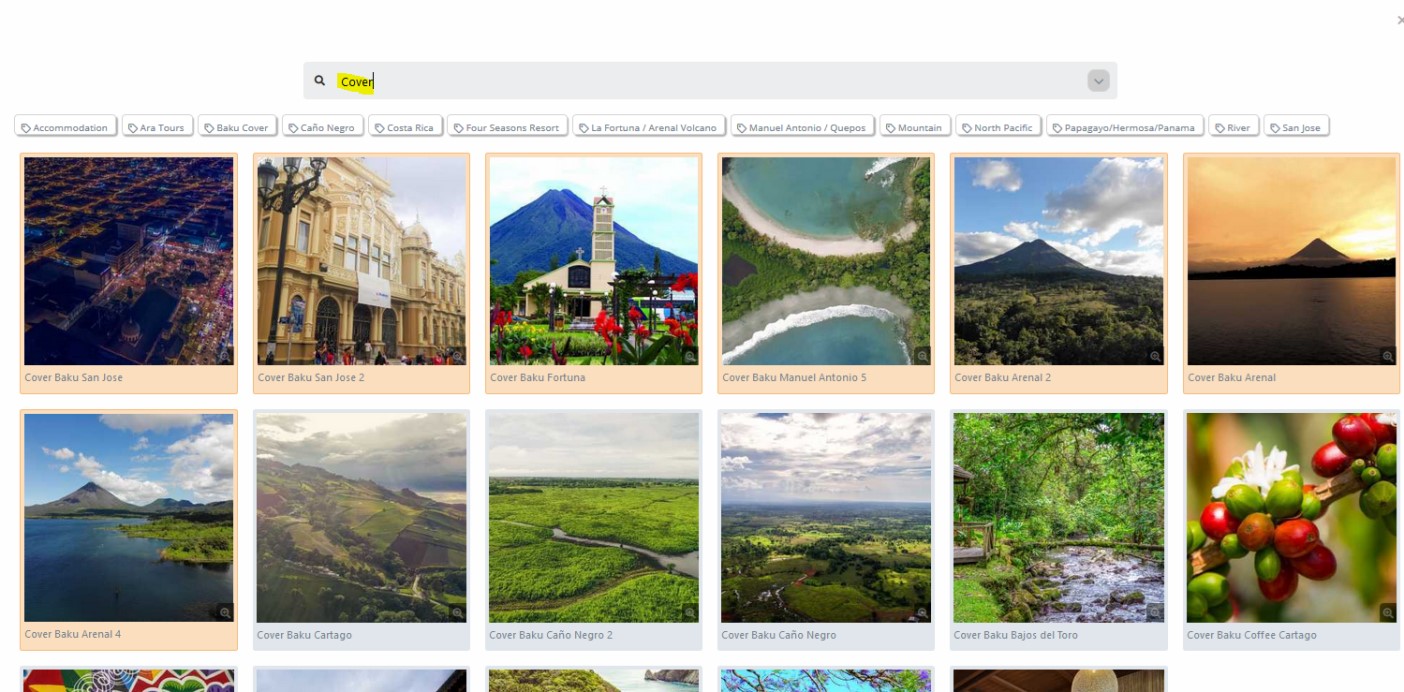
When uploading photos or selecting the ones you want to appear in the Cover, they must be configured with the Baku Cover template. The Development Department recommends assigning them a Tag for identification — I created one called Baku Cover.
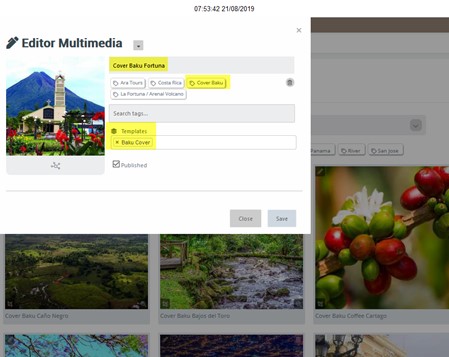
That way, these chosen photos, selected for being the best and most representative, will appear in the Bakus in the Cover area, so that the sales team can choose the ones that best suit each Baku.
¶ Including Photos to Be Used as Banners
¶ Minimum Requirements
Also from DMS/ Content/ LC Media
Ideal: 300 dpi and a size greater than 1500x250px
And of very good quality
¶ Configuration
They must be configured with Template = Baku Banner, preferably with a tag for identification.
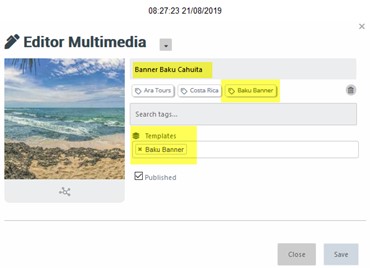
That way, Sales will see in the Baku the Banner photos to choose from, with only one being selected.
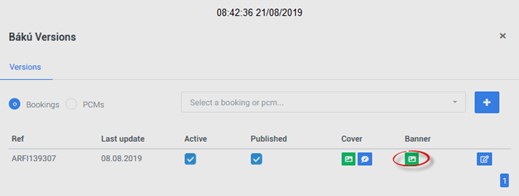
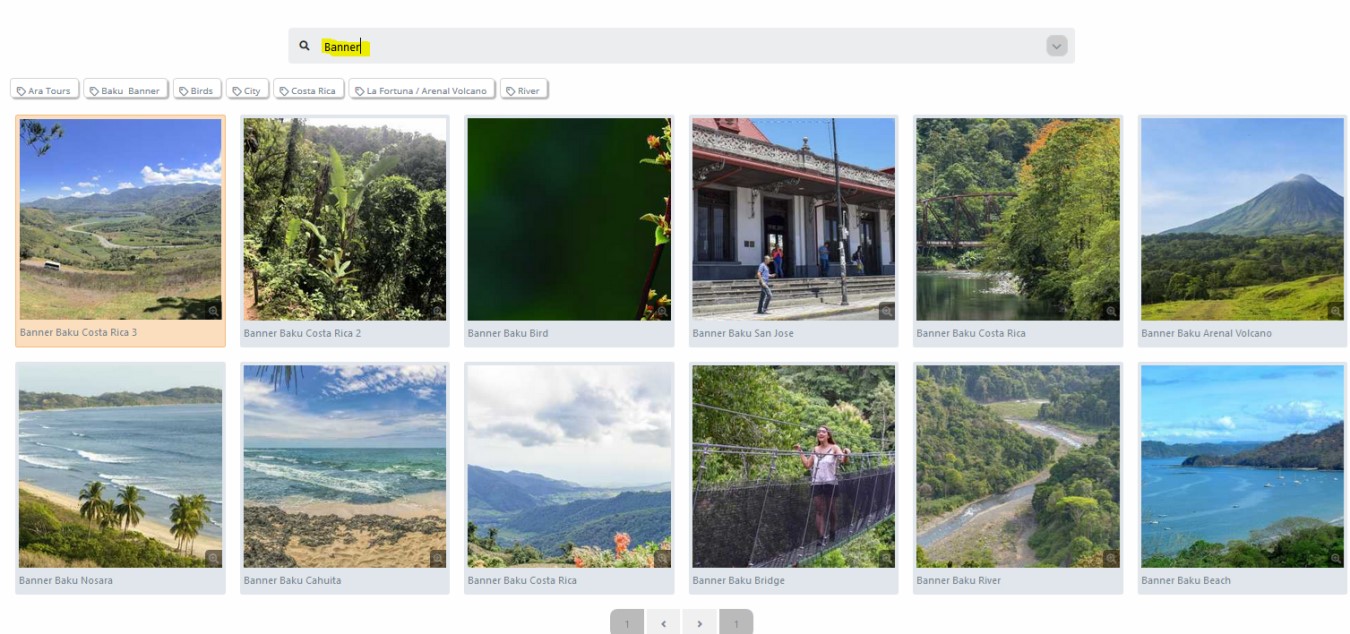
If filtered with the word Banner, all previously selected photos for this purpose that meet the minimum requirements will appear.