In case you want to create USP texts in advance to later be used in the different Bakus,
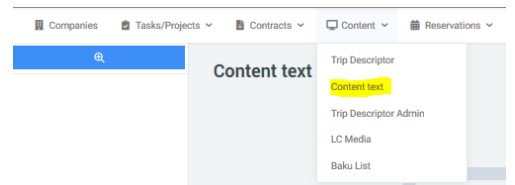
this is done in the DMS under Content/Content text
¶ Create the texts
-
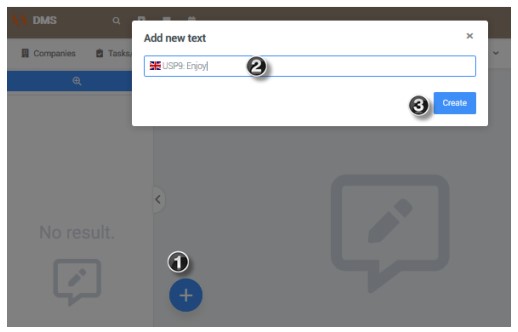
Click on the "+" symbol.
-
Give it a name. The name will only be for internal search, which is why it’s important that the name indicates what that USP is about, in order to find it more easily, and in English.
-
Click on Create.
When entering the text, don’t forget to click Save.
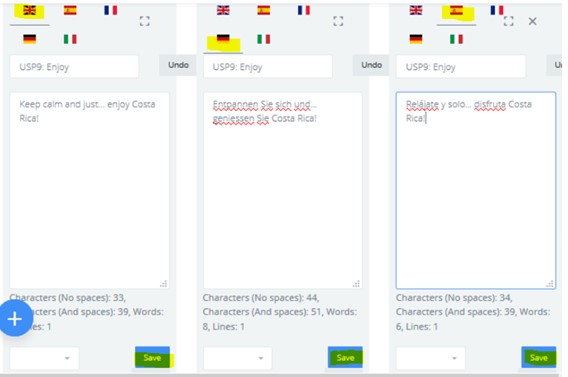
¶ Configure the texts
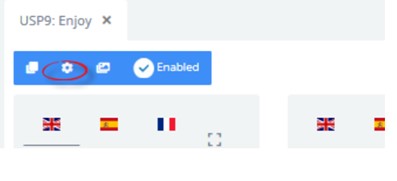
Assign them the Text Category = Baku USP
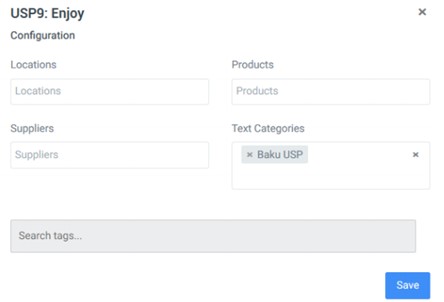
That way, when configuring a Baku and choosing the cover photos, these texts can also be assigned.
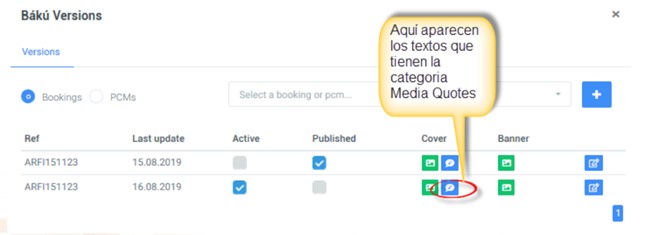
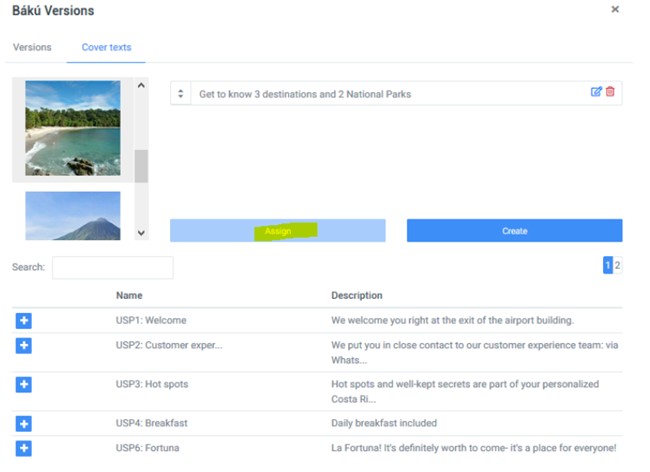
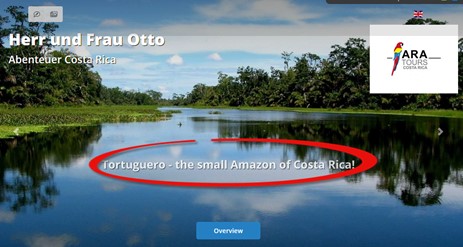
They are eye-catching messages that will appear on the Baku cover. There should be a maximum of 5 arguments or “USPs” (Unique Selling Propositions) per Baku, which are selected individually from a pool of arguments.
They must be short and precise, with a maximum of 120 characters, including spaces. They are translated into the different available languages.
They should be arguments that work for different types of clients (Decision Makers, Influencers, and Emotional Buyers) and that maintain the principle of alternation. They should be based on product differentiators and less obvious benefits.
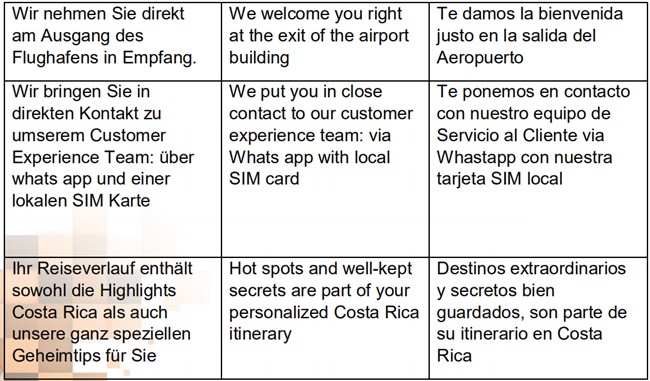
Example of USPs for Bakus: