¶ Case of packages that are linked to a PCM
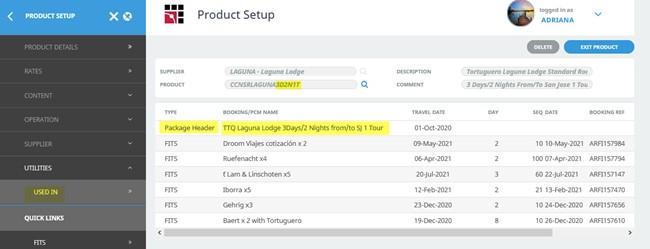
¶ Step 1: Find out the name of the PCM the package is linked to
This can be done from Tourplan in Product Setup/Utilities/Used in
¶ Step 2: Go to the DMS and create a Baku for that PCM
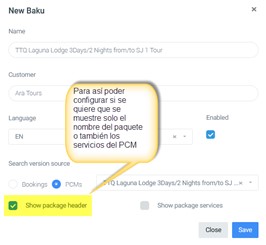
Go to DMS/Content/Baku list, create a Baku for that PCM, and configure what you want to display: either just the package name or also the PCM services with the following fields:
- Show package header
- Show package services
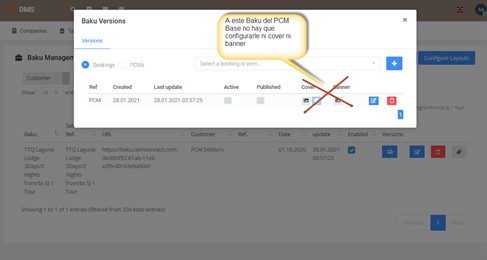
Important: This Baku of the Base PCM must not be configured with either Cover or Banner.
¶ Step 3: Configure content
Go to DMS/Content/Products
- Configure the content that will appear in the Hotels area
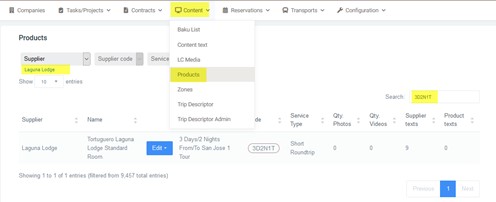
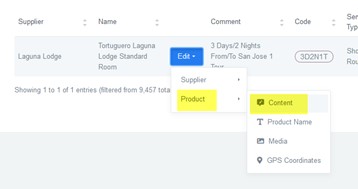
Open Edit to add the package content
Click on the “+” symbol and create the description text that will appear in the Hotels area
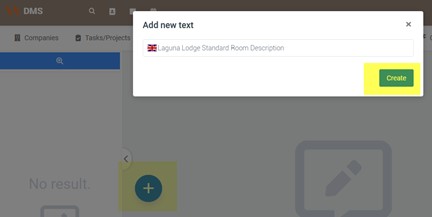
The text name must always be in English
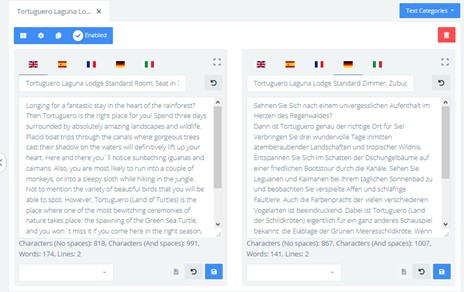
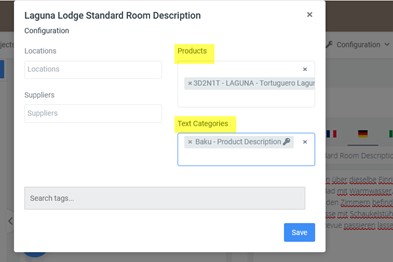
In the note configuration, it must have the linked product and the Text category = Baku Product Description (default, with the key)
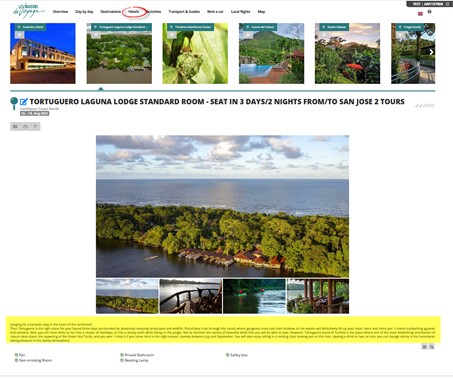
That content will appear in the Baku in the Hotels area, and only this text will appear, not like in Hotels where one description appears for the hotel and another for the rooms. In this case, as an exception, since it is a package with a PCM configured to show only the Package Header, only one description will appear in this area.
¶ Step 4: Configure the map
You can see more details in point III of this document. In this example, copy the map from another package.
Just by going to the Baku overview and the edit box, it will take you to that area.
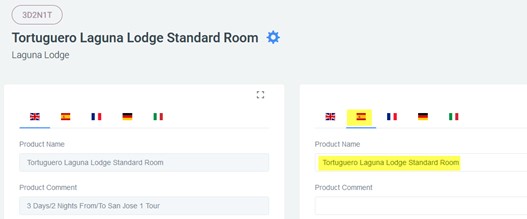
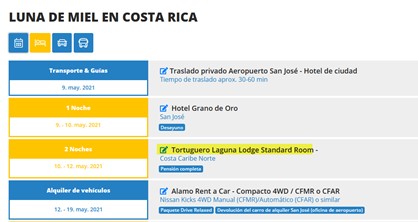
And this is how it looks in a Baku (a booking that includes that package).
¶ Case of packages that are NOT linked to a PCM (it is just the package position)
¶ Step 1: Add the content that should appear in the Hotels area
-
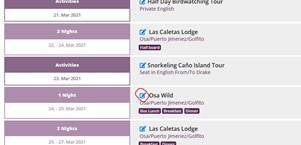
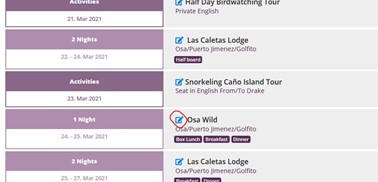
Example with Osa Wild – go to the Baku overview and the edit box
-
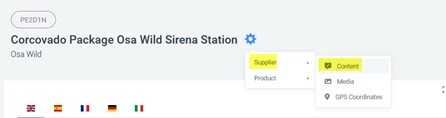
In the settings wheel, go to Supplier/Content
-
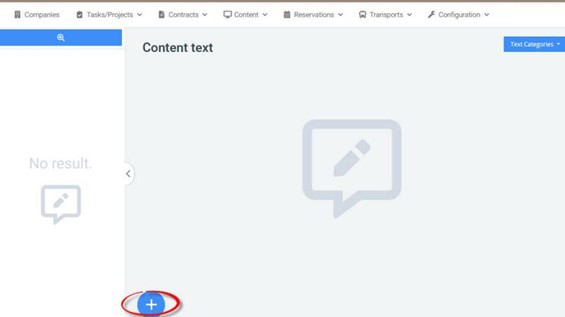
Click on “+” if there is no description
-
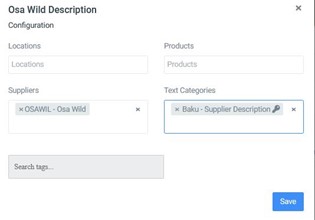
Add the content that should appear in the Hotels area under this supplier (Osa Wild)
With the configuration of Supplier and Text category = Baku Supplier description
¶ Step 2: Add Room description
-
Go again to the edit box
-
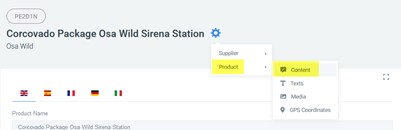
Go to Product/Content
-
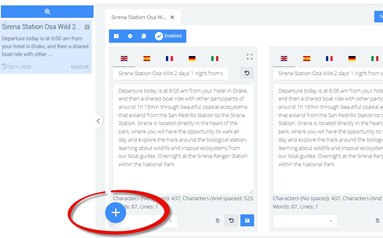
If there is no room description text, as in this case where there is only an itinerary text, click “+”
-
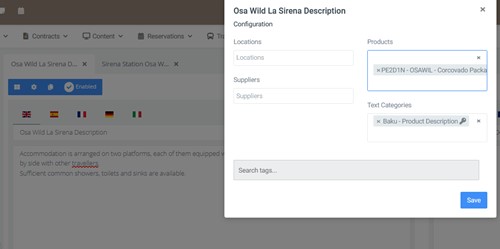
Add the description that should appear in the room section with the configuration: Product and Text category = Baku product description
¶ Configure the map
¶ Case of Hotels that are not accessible by land
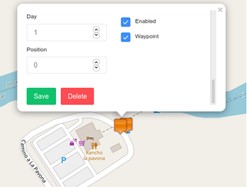
- Add a coordinate at the last point where there is a road for the day guests enter the hotel.
In this example, at the pier where the boat to the hotel is boarded:
a) Day field must be 1
b) Position field at 0
c) Enabled check active
d) Waypoint check active
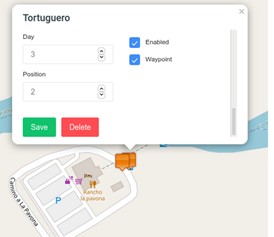
- Add a coordinate at the last point where there is a road for the day guests leave the hotel.
In this example, at the pier where the boat to the hotel is boarded:
a) Day field must be the day guests leave the hotel
b) Position field at 2
c) Enabled check active
d) Waypoint check active
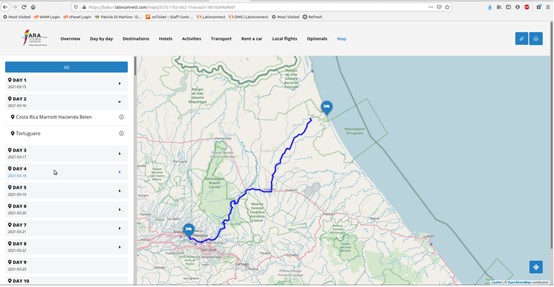
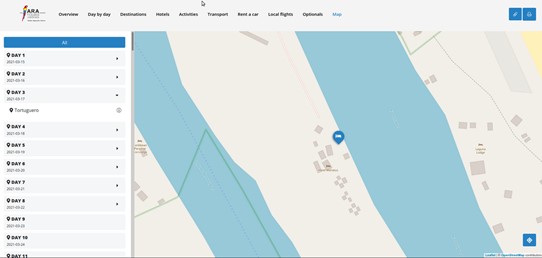
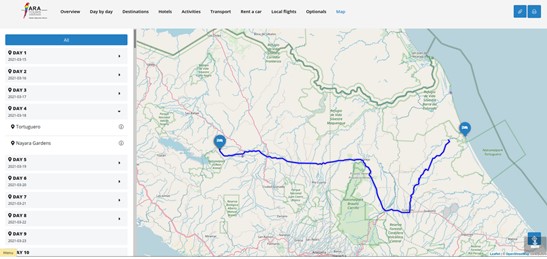
Then the Baku map is generated automatically without needing to adjust routes:
¶ Case of Packages offering tours on different days
Example: Packages in Latinconnect operated by the same hotel, offering several tours on different days. To make the tours appear on the correct day, the map of that package must be configured in the DMS.
In Latinconnect, all icons are placed on the same day, but in Baku, it is required to show them day by day in detail.
Example: https://ara.latinconnect.com/content/products/gps.php?prod=13375
Supplier = PIRCOV
Code = 4D3NSC
-
Transfer to the pier
a) Day = 1 (this happens on day 1 of the package)
b) Position = 1 (first service)
c) Enabled check active
d) Waypoint check active

-
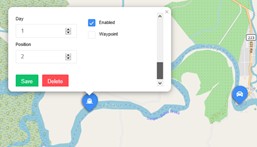
Boat transfer to the hotel
a) Day = 1
b) Position = 2 (second service)
c) Enabled check active
d) Waypoint check disabled (no land route)
e) Choose the boat icon
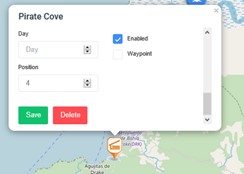
¶ Hotel
a) Day = blank (hotel should appear every day)
b) Position = sequence order
c) Enabled check active
d) Waypoint check active if there is a land route to the hotel, otherwise disabled (as in this case)
¶ Tours
a) Day = day the tour takes place (in this example, day 2)
b) Position = sequence order
c) Enabled check active
d) Waypoint active if land route exists, otherwise disabled
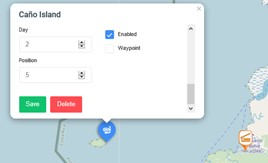
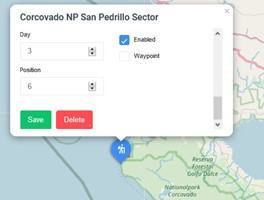
Another tour takes place on day 3, so set day = 3.
In Baku, this tour will only appear on day 3 of this package.
¶ Hotel departure transfers
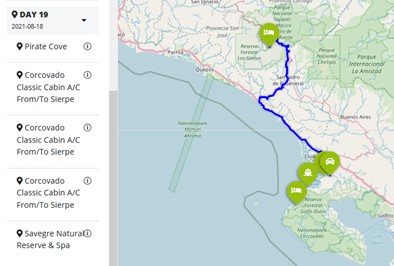
Add a boat transfer on day 4, continuing the sequence.
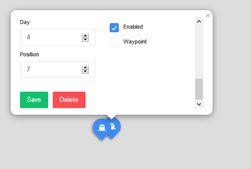
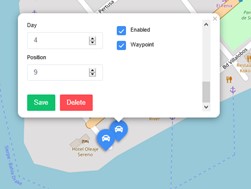
How it looks in the DMS:
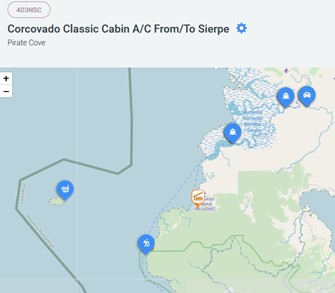
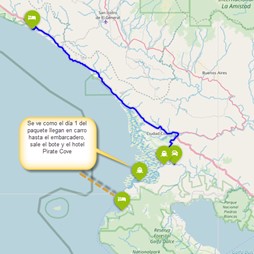
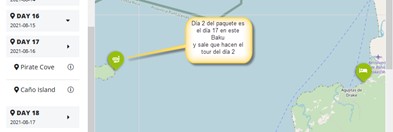
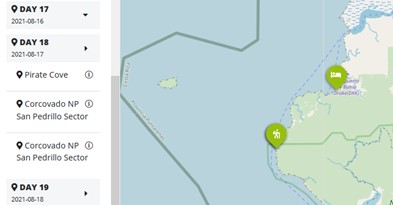
And how it looks in Baku:
Day 1
Day 2
Day 3
Day 4 (departure day)
¶ How to copy maps?
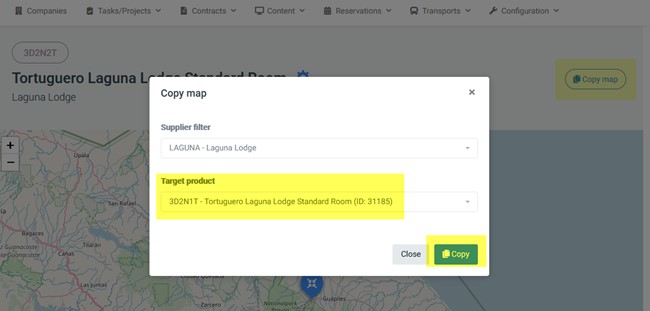
This is a very useful feature: if you know of a similar package that already has a map configured, you can copy that map to the package you need.
Find the package with the map, click on Copy map, and in the Target product field, enter the ID of the package you want to copy the map to.
¶ Where to find the ID of a package?
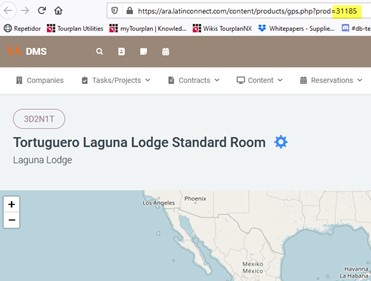
Open any page of the package that needs the map, and in the web address bar you will see the ID. This is the most reliable way to avoid mistakes.